When parents begin exploring coding education for their children, one of the most common and practical questions they ask is: “What are the best free coding resources for kids online?” In the United States, Canada, the United Kingdom, and across Europe, interest in early programming education has grown rapidly over the past decade. However, while enthusiasm is high, many families are unsure where to start—especially when trying to balance quality, accessibility, and cost.
The good news is that there is now a rich ecosystem of free, high-quality coding resources specifically designed for children. These platforms are not only accessible but also pedagogically sound, often developed by leading universities, nonprofit organizations, and major technology companies. In this article, we will explore the most trusted and effective free coding resources available today, evaluate their strengths and limitations, and provide real-world examples of how children successfully learn through them.
Understanding What Makes a Coding Resource “Good” for Kids
Before diving into specific platforms, it’s important to clarify what actually makes a coding resource effective for children. Not all free tools are created equal, and parents should look beyond surface-level features.
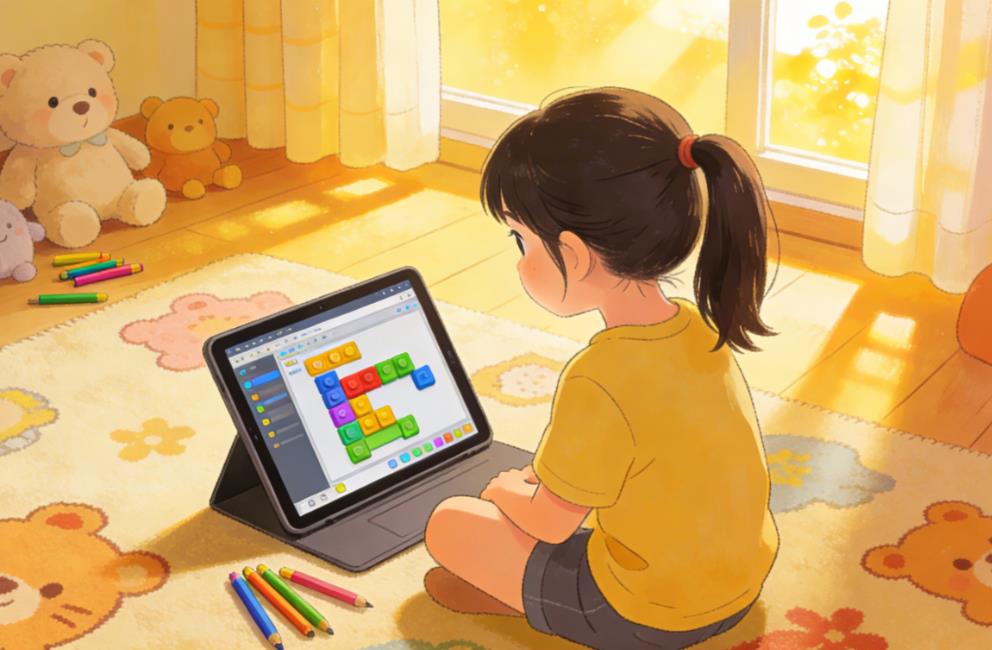
First, age-appropriate design is essential. Younger children, typically ages 5–8, benefit from visual programming environments that use drag-and-drop blocks rather than text-based syntax. Older children, especially those aged 10 and above, can begin transitioning into real programming languages like Python or JavaScript.
Second, engagement matters. Kids learn best when they are actively creating something meaningful—whether it’s a game, animation, or interactive story. Platforms that encourage creativity and exploration tend to sustain long-term interest.
Third, structured learning paths are critical. While open-ended environments are valuable, beginners often need guided lessons, challenges, and progression systems to build confidence.
Finally, community and safety are key considerations. Many platforms include social features where kids can share projects, so moderation and child-friendly environments are crucial.
Scratch: The Gold Standard for Beginners
One of the most widely recommended platforms for young learners is Scratch, developed by the MIT Media Lab. Scratch is a block-based programming language designed specifically for children aged 6–14.
Scratch allows kids to create interactive stories, games, and animations by snapping together coding blocks. This eliminates the frustration of syntax errors and allows children to focus on logic and creativity.
A real example comes from a 9-year-old student in California who began using Scratch during remote learning in 2020. Initially hesitant about coding, she quickly became engaged after creating a simple game where a character collects coins. Within six months, she was building multi-level games and even teaching her classmates how to use variables and loops.
Scratch also has a large online community where children can share their projects, remix others’ work, and receive feedback. This social aspect significantly enhances motivation.
However, Scratch does have limitations. It does not directly translate to text-based coding, so at some point, children will need to transition to more advanced tools.
Code.org: Structured Learning for All Ages
Another highly respected platform is Code.org, a nonprofit dedicated to expanding access to computer science education.
Code.org offers a wide range of free courses categorized by age group, from early elementary to high school. Its curriculum is used in thousands of schools across North America and Europe.
One of its most popular offerings is the “Hour of Code,” a series of one-hour tutorials that introduce basic programming concepts through themed activities, often featuring characters from popular franchises.
A case study from a public school in Texas showed that students who participated in Code.org’s structured curriculum over a full academic year demonstrated significantly improved problem-solving skills and logical reasoning compared to those who did not.
The platform is particularly strong in providing step-by-step guidance, making it ideal for beginners who need more structure than Scratch alone can provide.
Khan Academy: Bridging Coding and Academic Learning
Khan Academy is another excellent free resource that combines coding with broader academic subjects.
Khan Academy offers courses in JavaScript, HTML/CSS, and computer science principles. Its coding lessons are interactive and include real-time feedback, which helps students quickly understand mistakes.
One of the strengths of Khan Academy is its integration of coding with math and logic. For example, students can create visual drawings using JavaScript while learning geometric concepts.
A 12-year-old student in the UK used Khan Academy to supplement her school curriculum. Over the course of a year, she progressed from basic animations to building interactive web pages, eventually developing a personal portfolio website.
While Khan Academy is highly effective for older children (typically 10+), younger learners may find its interface less playful compared to platforms like Scratch.
freeCodeCamp: A Pathway for Serious Learners
For teenagers who are ready to take coding more seriously, freeCodeCamp offers a comprehensive and entirely free curriculum.
freeCodeCamp focuses on real-world development skills, including web development, data structures, and algorithms. It also provides certification programs that can be valuable for older students preparing for college or careers in technology.
A notable example is a high school student in Canada who completed several freeCodeCamp certifications and used them to secure a summer internship at a local tech company. This demonstrates that free resources can lead to tangible real-world opportunities.
However, freeCodeCamp is not designed for younger children. It requires strong reading comprehension and self-discipline, making it more suitable for ages 14 and above.
Tynker: Freemium but Valuable Free Content
Tynker is a popular platform that offers both free and paid content. While much of its advanced material is behind a paywall, there is still a substantial amount of free content available for beginners.
Tynker uses game-based learning to teach programming concepts, and its interface is visually appealing for younger audiences. It also introduces Python and JavaScript in a gradual, accessible way.
Parents often appreciate Tynker’s structured progression, though it’s important to note that the best features may require a subscription.
CS First by Google: Classroom-Ready Coding
Google developed CS First as a free computer science curriculum for students aged 9–14.
CS First uses Scratch as its underlying platform but adds structured lessons and themes, such as storytelling, game design, and animation. It’s particularly useful for teachers or parents who want a more guided approach.
In a classroom setting in London, teachers reported that students using CS First were more engaged and collaborative compared to traditional computer classes. The structured modules helped students stay focused while still allowing creativity.
Blockly Games: Learning Through Play
Blockly Games is another resource developed by Google that focuses on teaching programming concepts through simple games.
Each game introduces a specific concept, such as loops or conditionals, and gradually increases in difficulty. It’s an excellent starting point for younger children who are completely new to coding.
While Blockly Games is not as comprehensive as other platforms, it serves as a strong introduction and can build confidence before moving on to more complex tools.
MIT App Inventor: Building Real Apps
For kids interested in creating mobile apps, MIT App Inventor is an outstanding free resource.
It uses a block-based interface similar to Scratch but allows users to build fully functional Android apps. This can be incredibly motivating for students, as they can see their creations running on real devices.
A middle school student in New York used MIT App Inventor to create a simple app that helps users track daily water intake. He later ներկայաց this project at a school science fair and won first place.
This platform is best suited for older children (around 11+) who are ready for more complex projects.
Real-World Learning Path Example
To better understand how these resources can work together, consider a typical learning journey for a child in the United States.
A child might start with Blockly Games at age 6 or 7, learning basic logic through play. By age 8 or 9, they transition to Scratch, where they begin creating their own games and animations.
Around age 10 or 11, they might start using Code.org or CS First to gain more structured knowledge. At this stage, they could also explore MIT App Inventor to build simple apps.
By age 12 or 13, they might begin learning JavaScript through Khan Academy, gradually moving into text-based coding. Finally, as teenagers, they could use freeCodeCamp to develop real-world skills.
This progression reflects a natural transition from visual to text-based programming, aligning with cognitive development.
Common Mistakes Parents Should Avoid
While free resources are abundant, parents sometimes make mistakes that hinder their child’s progress.
One common mistake is pushing children too quickly into advanced programming languages. Starting with Python or JavaScript before a child is ready can lead to frustration and loss of interest.
Another issue is lack of consistency. Coding is a skill that requires regular practice, and sporadic engagement often leads to slow progress.
Additionally, some parents focus too much on outcomes rather than the learning process. The goal should not be to “build a perfect app” but to develop problem-solving skills and creativity.
Finally, overlooking community and support can be a missed opportunity. Many platforms offer forums, project sharing, and collaborative features that enhance learning.
The landscape of free coding resources for kids has never been richer or more accessible. From beginner-friendly platforms like Scratch and Blockly Games to more advanced options like freeCodeCamp, there is something available for every age group and skill level.
For parents in Western countries, the key is not to find a single “perfect” platform but to understand how different tools can complement each other לאורך a child’s learning journey. By choosing age-appropriate resources, maintaining consistency, and encouraging creativity, families can provide children with a strong foundation in coding—without spending a single dollar.
Ultimately, coding education is not just about preparing children for future careers in technology. It’s about equipping them with critical thinking skills, resilience, and the ability to create rather than just consume technology. And with the wealth of free resources available today, that opportunity is more accessible than ever before.
| Platform | Age Range | Coding Type | Free or Paid | Key Features | Strengths | Limitations | Best Use Stage |
|---|---|---|---|---|---|---|---|
| Scratch | Ages 6–14 | Block-based (Visual) | Free | Create games, animations, and stories | Easy to start, highly creative, strong community | No direct transition to text-based coding | Core beginner platform |
| Code.org | Ages 5–18 | Block-based + Intro code | Free | Structured curriculum and guided lessons | Clear learning path, widely used in schools | Less creative freedom | Structured beginner learning |
| Khan Academy | Ages 10+ | JavaScript / HTML | Free | Coding combined with math and logic | Real-time feedback, strong fundamentals | Less gamified, lower engagement for younger kids | Transition to text-based coding |
| freeCodeCamp | Ages 14+ | Web development / Algorithms | Free | Career-oriented curriculum with certifications | In-depth content, job-ready skills | Steep learning curve | Advanced / career preparation |
| Tynker | Ages 5–14 | Block-based + Python | Freemium | Game-based learning experience | Engaging, structured progression | Many features require payment | Beginner + engagement stage |
| CS First | Ages 9–14 | Block-based (Scratch-based) | Free | Themed courses (games, storytelling, animation) | Well-structured, classroom-friendly | Limited flexibility | School or guided learning |
| Blockly Games | Ages 6–10 | Block-based (Game-based) | Free | Puzzle-style coding games | Very beginner-friendly, fun | Limited depth | First exposure to coding |
| MIT App Inventor | Ages 11+ | Block-based (App development) | Free | Build real Android apps | Highly motivating, real-world projects | Slightly steeper learning curve | Project-based learning |

Leave a Reply