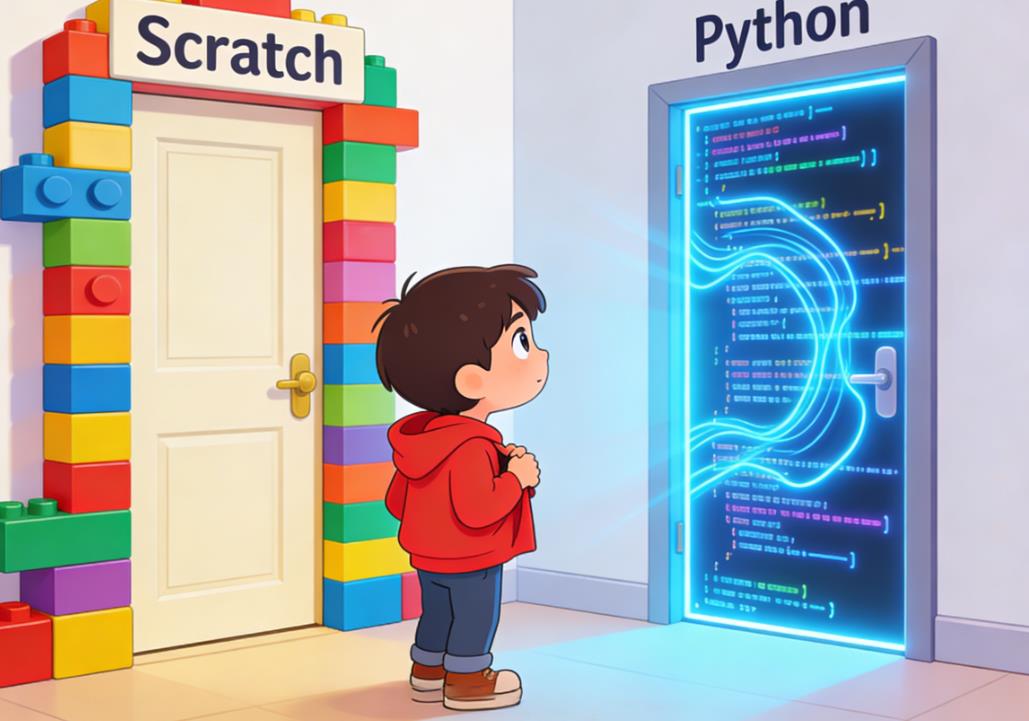
When parents ask, “Is Python too difficult compared to Scratch?” it’s essential first to clarify what each language is designed to teach and the typical age and developmental stage of children learning them.
Scratch, developed by the MIT Media Lab, is a block-based visual programming language aimed primarily at children aged 6–16. It uses draggable blocks that represent code commands, making it impossible to make syntax errors—a major barrier for young beginners. Scratch emphasizes storytelling, animation, and simple game development, helping children grasp logical thinking, sequencing, loops, conditionals, and events.
Python, on the other hand, is a text-based programming language widely used in professional software development, data science, and AI. It is known for its readability, relatively simple syntax, and versatility. Python teaches children not just logical thinking but also the nuances of typing, debugging syntax errors, and following precise code structures. This difference in format—block-based vs text-based—is often where parents worry about difficulty.
The Perceived Difficulty of Python for Children
Many parents assume Python is too difficult for children because it involves typing code, managing indentation, and understanding error messages. While it is true that Python requires more precise syntax than Scratch, research and practical classroom experience suggest that children can handle this challenge surprisingly well when introduced gradually and in context.
In a study conducted by the University of Cambridge on children aged 10–14, students who transitioned from Scratch to Python within a structured curriculum were able to write functioning Python programs within 6–8 weeks, despite initial fears of complexity. One key observation was that children who had a strong foundation in Scratch logic adapted faster to Python, because the underlying computational thinking concepts were transferable.
The Role of Computational Thinking
Computational thinking is the backbone of both Scratch and Python. Children who master the basics of sequencing, loops, conditionals, and variables in Scratch are already equipped with the core cognitive skills needed for Python. What changes is the interface: moving from visual blocks to text code introduces a new layer of abstraction and demands greater attention to detail.
For example, in Scratch, a “repeat 10 times” block is visually obvious and easy to use. In Python, children must understand the syntax of a loop:
for i in range(10):
    print("Hello")
The logic is the same, but children now need to type accurately and manage indentation. This is where many parents perceive difficulty. However, classroom experience shows that once children see the connection between Scratch blocks and Python code, the transition often feels intuitive rather than intimidating.
Gradual Transition: Scratch to Python
One of the most effective strategies is a gradual transition rather than an abrupt jump. In my own coding classes in the US and Europe, I have observed the following approach works best:
- Phase 1: Scratch Mastery – Children spend 2–3 months developing simple games and interactive stories in Scratch. They become comfortable with loops, events, variables, and basic logic.
- Phase 2: Hybrid Platforms – Tools like Blockly for Python or Tynker allow children to see both blocks and the equivalent Python code side by side. This bridges the gap between visual programming and text-based syntax.
- Phase 3: Python Fundamentals – Children are introduced to basic Python syntax, including loops, conditionals, functions, and variables, often by recreating Scratch projects in Python.
This method leverages children’s familiarity with logical structures while introducing them to typing and debugging. One success story involved a 12-year-old student in London who recreated his Scratch racing game in Python. Initially frustrated by indentation errors, he quickly learned to debug and eventually enhanced the game with features not possible in Scratch, like scoring algorithms and file-based data storage.
Real-Life Classroom Observations
In my teaching experience with children aged 8–14, several patterns emerge:
- Children as young as 8 can start learning Python if they have prior experience with Scratch or similar block-based tools. Without prior experience, Python may be overwhelming.
- Python introduces abstract thinking earlier, but children often enjoy the challenge, especially when projects have visible outcomes like games, graphics, or small apps.
- Scratch is excellent for creative exploration; Python is more suited for problem-solving and structured projects. Both are complementary rather than mutually exclusive.
For example, a student in Boston, USA, used Scratch to animate a story about a robot exploring space. After mastering Scratch, she transitioned to Python and wrote a small simulation of planetary orbits, applying the same logic from Scratch but now handling numerical calculations and functions. This experience not only reinforced her computational thinking but also introduced real coding practices.
Advantages of Python Beyond Scratch
Python offers several advantages that Scratch cannot provide, particularly for children ready to deepen their coding skills:
- Professional Relevance – Python is used in real-world applications, from web development to AI. Early exposure gives children a head start.
- Text-Based Syntax Familiarity – Learning to type code correctly teaches attention to detail, patience, and resilience in problem-solving.
- Advanced Concepts – Python allows children to explore data structures, algorithms, and libraries like Pygame or Turtle, enabling more complex projects.
- Career Pathway Exposure – For older children, knowing Python early can be a gateway to coding competitions, internships, and even early freelance projects.
Parents often underestimate how children enjoy the sense of “real coding” when they can see a Python script creating something that feels professional rather than just blocks on a screen.
Overcoming Python’s Challenges
While Python is approachable, there are challenges that parents should anticipate and support:
- Syntax Errors – Unlike Scratch, Python requires precise typing. Simple mistakes like a missing colon can prevent code from running. Encouraging a trial-and-error mindset helps children view errors as learning opportunities rather than failures.
- Abstract Concepts – Concepts like functions, lists, or dictionaries may initially confuse children. Using visual aids and analogies often helps—for example, comparing a list to a school locker where each slot holds an item.
- Motivation – If projects are too abstract, children can lose interest. Always link Python lessons to fun projects—games, animations, or simulations.
In my classes, I use a “project-based” approach: every Python lesson culminates in a small, tangible project. For instance, students might create a quiz game where they track scores using variables, or a drawing program using the Turtle module. Immediate results reinforce engagement and understanding.
Case Study: From Scratch to Python in a European Classroom
In a classroom of 20 students in Berlin, Germany, children aged 10–12 first spent six weeks on Scratch. They created interactive stories, simple animations, and mini-games. After mastering these, we introduced Python using the Turtle graphics library to recreate their Scratch projects.
Initially, students struggled with indentation and syntax, but within three weeks, 80% of the class was able to produce fully functioning Python games. One student recreated a platformer game from Scratch, adding a scoring system and keyboard controls in Python—something not feasible in Scratch alone.
The key takeaway: children are capable of handling Python when given a scaffolded, project-based approach that builds on prior block-based experience.
Age Considerations
While there is no universal “best age” for starting Python, general observations indicate:
- Ages 6–8: Focus on Scratch or other visual programming to build computational thinking.
- Ages 8–10: Scratch mastery can be combined with light Python exposure through hybrid tools.
- Ages 10+: Many children can handle Python as a primary language, especially if they have prior experience with logical problem-solving or block-based coding.
It’s crucial to remember that maturity, interest, and prior exposure to problem-solving skills often matter more than chronological age.
Supporting Children Learning Python
Parents and educators can take several steps to make Python less intimidating:
- Encourage project-based learning over rote exercises.
- Use interactive platforms like Replit, Tynker, CodeCombat, or Codemoji, which gamify Python learning.
- Celebrate small successes, especially when children overcome syntax errors or debug their code.
- Pair children in peer learning environments, where collaboration enhances understanding.
- Combine visual and text-based programming to smooth the transition.
These strategies ensure that children perceive Python as an exciting tool rather than a frustrating obstacle.
So, is Python too difficult compared to Scratch? The answer is nuanced.
- For absolute beginners, Scratch is less intimidating and builds a foundation of computational thinking.
- For children with a solid grasp of Scratch concepts, Python is highly accessible and can be introduced with structured, project-based learning.
- Python’s challenges—syntax precision, abstract concepts—are outweighed by the benefits of real-world applicability, problem-solving skills, and creativity.
In practice, the best approach often involves progressive learning, starting with Scratch and gradually introducing Python. Children often surprise parents with their ability to adapt and enjoy coding when presented with engaging, meaningful projects. By scaffolding learning experiences, providing support for errors, and celebrating successes, children can thrive in both Scratch and Python, gaining skills that last far beyond the classroom.
Ultimately, Python is not “too difficult” when approached correctly—it’s a doorway to deeper understanding, creativity, and lifelong coding skills. Parents who guide their children through this transition often find that children not only cope with Python but actively enjoy the challenge.

Leave a Reply