For many parents, the thought of introducing their children to coding can be both exciting and daunting. With so many programming languages and educational platforms available, choosing the right starting point is crucial. Scratch, a visual, block-based programming environment developed by the MIT Media Lab, is often recommended for children aged 7 to 16. However, some parents question whether Scratch is just a “toy” or whether it can genuinely teach foundational programming concepts that will help children later transition to text-based coding languages like Python, Java, or JavaScript. In this article, we’ll explore the capabilities of Scratch, provide real-life examples, and examine whether it equips children with genuine programming knowledge.
What is Scratch and Why is it Popular?
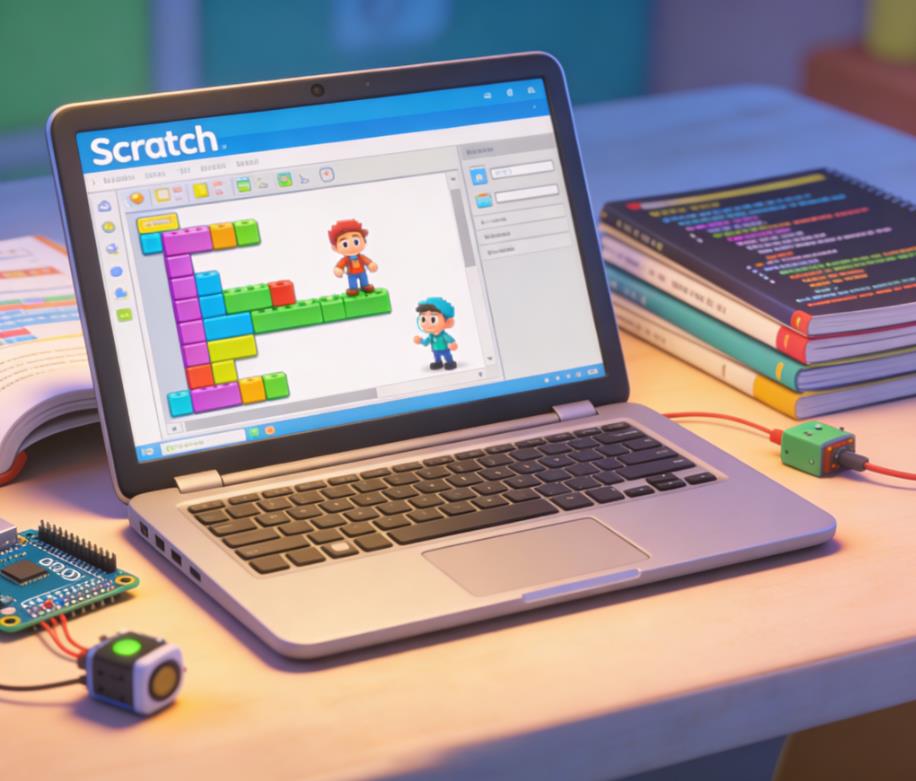
Scratch is a block-based programming platform designed to introduce children to coding concepts in an intuitive and interactive way. Instead of typing code, children drag and drop colored blocks that represent commands, loops, conditionals, and other programming structures. Scratch allows students to create animations, interactive stories, and games, giving immediate visual feedback and fostering creativity.
The popularity of Scratch stems from its simplicity, visual approach, and supportive community. Millions of children worldwide share their projects on the Scratch online platform, allowing them to learn from peers, explore coding ideas, and receive constructive feedback.
Real Example: A 10-Year-Old Creating an Interactive Story
One of my students, Emily, age 10, used Scratch to create an interactive story in which characters responded to user input. She implemented concepts such as:
- Events – Characters responded when the green flag was clicked.
- Conditionals – Dialogue choices changed the story’s path.
- Variables – Scores tracked user decisions throughout the story.
While Emily was not typing code in Python, she was learning how programs respond to events, how logic controls outcomes, and how variables store and manipulate information. These are real programming concepts that form the foundation of any text-based language.
Core Programming Concepts Children Learn in Scratch
While Scratch is visual, it covers many core programming concepts that are essential for understanding text-based coding. Some of these include:
Variables and Data Types
Scratch allows children to create variables and lists to store information. For example, in a game, a score variable tracks the player’s progress. While Scratch does not require explicit data type declarations, children still learn how data is stored, updated, and used in decision-making.
Control Structures
Scratch introduces loops and conditional statements visually:
- Loops: The “repeat” and “forever” blocks teach children about iteration.
- Conditionals: “If” and “if-else” blocks teach children how to control program flow based on certain conditions.
These constructs are directly translatable to any text-based programming language.
Events and Event Handling
One of Scratch’s most powerful teaching points is its event-driven model. Children learn that programs can respond to clicks, key presses, or messages from other sprites. Understanding events is crucial in real-world programming, especially in graphical user interfaces, game development, and web applications.
Functions and Modular Thinking
While Scratch does not use traditional function syntax, it allows children to create “custom blocks,” which are reusable code segments. This helps develop modular thinking—an essential skill in writing maintainable, efficient code.
Debugging and Problem Solving
Children frequently encounter unexpected behavior in their Scratch projects. They learn to debug by checking block sequences, variable values, and logical flow. Debugging in Scratch mimics the process in text-based programming, teaching persistence and logical reasoning.
Real Example: Debugging a Maze Game
James, a 12-year-old, created a maze game in Scratch. He initially programmed the sprite to move using arrow keys but discovered it sometimes went through walls. By using “if touching color” conditions and carefully checking his block order, James learned debugging strategies, a skill that will translate directly to Python or Java programming.
How Scratch Bridges to Text-Based Programming
Many parents worry that because Scratch is block-based, children might struggle when transitioning to text-based languages. However, studies and practical experience show that Scratch provides an excellent foundation for this transition.
Logical Thinking Over Syntax
One of the hardest parts of learning text-based programming is mastering syntax errors and memorizing commands. Scratch eliminates syntax barriers, allowing children to focus on logic, flow, and problem-solving first. By understanding how to think like a programmer—how to break problems into smaller steps, use loops, and handle conditions—they can later apply these skills in any programming language.
Scratch to Python: Real-Life Transition
Consider Lily, age 13. She spent two years developing games in Scratch, mastering loops, variables, and custom blocks. When she started learning Python, she quickly understood:
- How loops work (
forandwhile) because she already used “repeat” and “forever” in Scratch. - How conditional logic works (
ifstatements) from her Scratch projects. - How to use functions because she had experience creating reusable custom blocks.
Scratch acted as a bridge: Lily’s transition was smoother than her peers who started directly with Python, as she already understood programming concepts without being overwhelmed by syntax.
Scratch Encourages Creativity and Exploration
Unlike many traditional coding courses, Scratch allows children to experiment and iterate rapidly. This freedom encourages exploration and creativity, which is critical for learning programming concepts effectively. When children create projects that excite them—like games, animations, or interactive stories—they are motivated to learn and solve problems.
Real Example: A 9-Year-Old Designing a Science Simulation
One student, Max, designed a simulation of the solar system in Scratch. He used:
- Variables to store planet positions and speed
- Loops to simulate orbiting
- Conditional statements to detect collisions or planet alignment
By experimenting with code, Max not only reinforced programming concepts but also applied mathematical and scientific thinking in a practical project.
Collaborative Learning and Community
Scratch’s online platform fosters collaboration and peer learning. Children can:
- Remix projects made by others, analyzing and modifying code
- Share projects and receive feedback
- Participate in challenges and hackathons
This social aspect mimics professional software development environments, where collaboration, code review, and iteration are essential.
Real Example: Online Scratch Competition
In a recent Scratch coding competition, a group of students collaborated to create an interactive storytelling project. They divided tasks, managed sprites, and debugged together. These experiences built teamwork, version control thinking, and real-world problem-solving skills.
Limitations of Scratch
While Scratch is powerful for teaching foundational concepts, it does have limitations:
- Limited Data Structures: Scratch mainly uses variables and lists; more advanced structures like dictionaries or classes are absent.
- Simplified Syntax: Scratch abstracts away syntax issues, so children will still need to learn text-based syntax later.
- Performance Limitations: Scratch projects are lightweight and run in a browser; they cannot handle large-scale applications.
However, these limitations are minor for beginners. Scratch’s purpose is not to replace professional programming but to teach fundamental concepts in an accessible way.
Research Supporting Scratch’s Effectiveness
Several studies highlight Scratch’s educational benefits:
- Resnick et al., MIT Media Lab: Children who used Scratch developed stronger problem-solving skills, better understanding of loops and conditionals, and improved computational thinking.
- Grover & Pea (2013): Scratch-based curricula helped middle school students develop abstraction skills, algorithmic thinking, and debugging strategies comparable to early programming courses in traditional languages.
- Google CS Education Research: Children transitioning from Scratch to Python or Java performed better in logic, structure, and debugging than peers who started directly with text-based coding.
These findings support the notion that Scratch is more than a toy; it teaches genuine programming concepts and builds a foundation for advanced learning.
Best Practices for Using Scratch Effectively
To ensure children gain real programming skills from Scratch, parents and educators should follow these best practices:
- Encourage Problem-Solving Over Completion: Let children experiment and figure out solutions instead of providing step-by-step instructions.
- Introduce Complexity Gradually: Start with simple projects like animations or small games, then progress to projects with loops, variables, and custom blocks.
- Emphasize Debugging: Ask children to identify why a program doesn’t behave as expected and guide them to correct it.
- Relate Concepts to Text-Based Coding: Explain how Scratch blocks relate to Python or Java code. For example, a Scratch “repeat” block is analogous to a Python
forloop. - Encourage Sharing and Collaboration: Let children share projects online or collaborate with peers to experience teamwork and constructive feedback.
Scratch is a Real Programming Foundation
Scratch is far from being just a toy for kids. It introduces fundamental programming concepts—variables, loops, conditionals, event-driven programming, modular thinking, and debugging—in an accessible, engaging way. Children learn to think logically, break problems into steps, and apply creativity, all of which are critical skills for text-based programming and real-world applications.
Real-life examples from classrooms and competitions show that children who start with Scratch transition smoothly to Python, Java, and JavaScript. They also gain confidence, creativity, and problem-solving skills that go beyond programming, supporting STEM learning and critical thinking.
For parents wondering whether Scratch is worth their child’s time, the evidence is clear: Scratch does teach real programming concepts and serves as a strong foundation for lifelong coding skills. By encouraging exploration, problem-solving, and collaboration, children not only learn to code but also develop the mindset of a programmer.

Leave a Reply