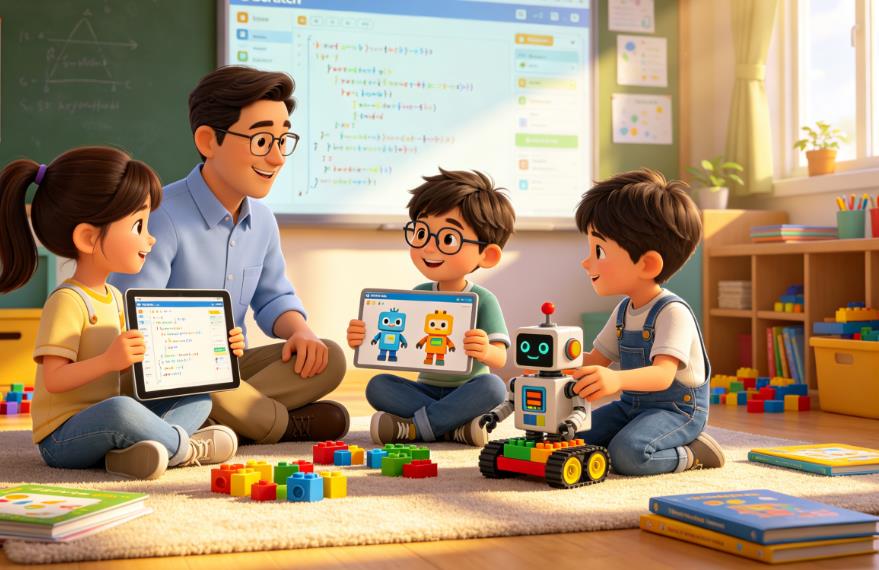
As a teacher working with children across Europe and North America, I hear one question more than any other from parents: “How can I tell if my child is ready to move beyond Scratch?” It’s a question rooted in care, curiosity, and a desire to support their child’s growth—and it’s a question that deserves more than a simple “when they’ve mastered the blocks.” Scratch, developed by MIT’s Media Lab, is an extraordinary tool for introducing coding to kids (typically ages 8–14), using drag-and-drop blocks to teach core programming concepts like loops, conditionals, variables, and functions without the frustration of syntax errors. It’s designed to spark creativity, build confidence, and demystify the world of coding by letting kids create interactive stories, games, and animations with immediate visual feedback. But just like a child outgrows their first bike, there comes a time when Scratch’s “training wheels” start to feel limiting—and recognizing that moment is key to keeping their coding journey engaging and rewarding.
Over the past six years, I’ve taught more than 300 children in classrooms, after-school clubs, and one-on-one sessions, watching them move from their first Scratch project (often a dancing cat or a simple maze game) to more advanced text-based languages like Python, JavaScript, and even C#. Along the way, I’ve noticed clear patterns in the children who transition smoothly—and those who struggle when pushed too soon. The difference rarely comes down to age or “natural talent”; instead, it’s about mastery of core concepts, curiosity to explore more, and frustration with Scratch’s limitations. In this article, I’ll break down the 7 key signs your child is ready to move beyond Scratch, share real stories from my students to illustrate each sign, address common myths and mistakes parents make, and offer a step-by-step guide to a smooth transition. My goal is to help you trust your child’s pace, avoid unnecessary pressure, and foster a lifelong love of coding—whether they grow up to be a software engineer, a designer, or simply someone who feels empowered by technology.
First, let’s dispel a common myth: Scratch is not a “baby” language, and moving beyond it is not a race. I’ve had 10-year-olds who are ready to tackle Python and 14-year-olds who still thrive in Scratch—and both are perfectly normal. Scratch is a tool for building foundational skills, not a stepping stone to “real” coding. Some children will spend 6 months in Scratch; others will spend 2 years. The right time to move on is when Scratch no longer challenges them, not when they check a box or reach a certain age. With that in mind, let’s dive into the signs your child is ready—and the stories that bring those signs to life.
Sign 1: They’ve Mastered Scratch’s Core Concepts (Without Help)
The first and most important sign your child is ready to move beyond Scratch is that they’ve fully mastered its core programming concepts—independently. Scratch’s drag-and-drop interface is designed to make these concepts tangible, but true mastery means they can apply them without prompting, troubleshoot when things go wrong, and explain why they’re using a certain block. The key concepts to look for are:
- Loops (repeat, forever, repeat until)
- Conditionals (if, if-else, if-else if)
- Variables (creating, updating, and using variables to track scores, lives, or positions)
- Functions (custom blocks that reuse code, like “move and jump” or “play sound and flash”)
- Event-driven programming (responding to clicks, key presses, or collisions)
- Debugging (finding and fixing errors in their projects, like a sprite getting stuck or a sound not playing)
Mastery doesn’t mean perfection—it means they can work through problems on their own. For example, if their game has a bug where the player doesn’t lose a life when hitting an obstacle, they don’t immediately ask for help; instead, they check the conditionals, test different blocks, and figure out what’s wrong. This independence is crucial because text-based coding requires far more self-reliance—syntax errors, logical bugs, and abstract concepts mean they’ll need to troubleshoot constantly.
Real Story: Mia (Age 11, London)
Mia joined my after-school Scratch club when she was 9, and for the first year, she relied heavily on me and her peers to help with even basic blocks. She’d get frustrated when her sprites didn’t move the way she wanted, and she’d give up quickly if a project didn’t work on the first try. But by age 11, something shifted. One day, she came to class with a fully functional “Space Invaders” style game—complete with multiple levels, a scoring system, and a boss enemy. When I asked her how she did it, she walked me through every step: she used a “repeat until” loop to make the enemies move side to side, an “if-else” conditional to check if the player’s laser hit an enemy, and a variable to track the score. When the boss enemy wasn’t spawning correctly, she debugged it on her own by realizing she’d forgotten to set the boss’s “show” block after hiding it in the previous level. “I tried three different things before I figured it out,” she told me proudly. “It was annoying, but I didn’t want to ask for help because I wanted to do it myself.”
Mia’s story is a perfect example of mastery: she wasn’t just using Scratch’s blocks—she was understanding them. A few months later, when I introduced a simple Python tutorial using Turtle (a library that creates visual graphics, similar to Scratch), she picked it up in days. She could see the connection between Scratch’s “move 10 steps” block and Python’s turtle.forward(10), and she was able to translate her Scratch logic into text code without hesitation. If your child is consistently solving their own Scratch problems and explaining their thought process, they’re ready to move on.
Sign 2: They’re Frustrated by Scratch’s Limitations
Scratch is powerful, but it has clear boundaries—and when your child starts to hit those boundaries and express frustration, it’s a strong sign they’re ready for more. Common frustrations include:
- “I can’t make my game have real physics (like gravity or bouncing balls that act like real objects).”
- “I want to make a website or an app, but Scratch only lets me make projects in the Scratch editor.”
- “My project is lagging because I have too many sprites/blocks—there’s no way to make it faster.”
- “I want to add sound effects or music that’s not in the Scratch library, but I can’t import my own easily.”
- “I want to make a game with save functionality, so I can come back to it later—but Scratch doesn’t let me do that.”
This frustration is a good thing—it means your child is thinking critically about what they want to create and realizing that Scratch can’t keep up. It’s not just “I’m bored”; it’s “I have an idea, and I can’t execute it with the tools I have.” This curiosity and ambition are exactly what drive kids to learn more advanced coding.
Real Story: Leo (Age 12, Toronto)
Leo was a Scratch prodigy—by age 10, he was making complex games with multiple characters, storylines, and custom art. He loved Scratch, but by age 12, he started complaining regularly. “Scratch is too slow,” he’d say. “I made a racing game, but when I add more than 5 cars, it lags so much you can’t play it.” He also wanted to make a game that his friends could play online, outside of the Scratch website. “I want them to be able to play it on their phones without having to log into Scratch,” he told me. “But Scratch won’t let me do that.”
One day, Leo came to class with a notebook full of sketches and notes. He wanted to make a 2D platformer game with gravity, jump physics, and online leaderboards—something Scratch simply can’t handle well. He’d spent hours trying to work around Scratch’s limitations: he used custom blocks to simulate gravity, but it was clunky; he tried to export his project as a video, but it lost quality; he even tried to teach himself basic HTML to embed the Scratch project on a website, but he got stuck. “I feel like I’m trying to build a house with a toy hammer,” he said. “It works, but it’s not right.”
That’s when we started working with Python and Pygame—a library that lets you create 2D games with real physics, sound effects, and the ability to export standalone apps. Leo took to it immediately. Within a month, he had a working platformer game with gravity, jump mechanics, and custom sound effects. “This is what I wanted to make all along,” he told me. “Scratch was great to start, but now I can do so much more.” Leo’s frustration wasn’t a sign of disinterest—it was a sign that he was ready to level up.
Sign 3: They Ask “What If?” and “How Can I?”
Curiosity is the heart of coding, and when your child starts asking questions that go beyond Scratch’s capabilities, it’s a clear indicator they’re ready to move on. These questions often start with “What if?” or “How can I?”—and they show that your child is thinking beyond the basics and exploring the possibilities of coding.
Examples of these questions include:
- “What if I could make my Scratch game connect to the internet so players can compete with each other?”
- “How can I make a program that automatically sends my mom a text when I finish my homework?”
- “What if I could make a robot move using code? Can Scratch do that?”
- “How can I make a program that edits photos or videos?”
These questions are important because they show your child is starting to see coding as a tool to solve real problems and create real things—not just a fun activity. Scratch is great for sparking this curiosity, but it can’t answer all these questions. When your child starts asking “how” and “what if” about things Scratch can’t do, they’re ready to learn a language that can.
Real Story: Sofia (Age 10, Berlin)
Sofia was always a curious kid—she loved science, art, and asking questions. When she started Scratch, she was immediately drawn to creating interactive stories, but she quickly started asking more complex questions. “How can I make my story have different endings based on what the reader clicks?” she asked me in her first month. I showed her how to use conditionals and variables to create branching storylines, and she ran with it. A few months later, she came to me with another question: “Can I make a program that draws a picture based on what I type? Like, if I type ‘sun,’ it draws a sun?”
Scratch has basic drawing tools, but it doesn’t have the ability to interpret text input and turn it into custom graphics—not easily, anyway. I explained this to Sofia, and instead of being discouraged, she said, “Is there another code I can learn that can do that?” That’s when we started exploring Python with the Turtle library. Sofia was fascinated by the idea that she could write code to draw anything—suns, flowers, even her name—and she spent weeks practicing. She eventually created a program that takes text input and draws a corresponding image: type “cat,” and it draws a simple cat; type “tree,” and it draws a tree. “This is better than Scratch,” she told me. “I can make whatever I want, not just what the blocks let me do.”
Sofia’s curiosity didn’t stop there. A few months later, she asked, “How can I make a program that helps my little brother learn his ABCs?” We used Python to create a flashcard program with images and sound, and Sofia even added a scoring system to make it fun. Her curiosity drove her to learn more, and Scratch simply couldn’t keep up with her questions. If your child is asking “what if” and “how can I” about things Scratch can’t do, they’re ready to move beyond it.
Sign 4: They Can Plan and Execute a Scratch Project From Start to Finish
Coding is as much about planning and problem-solving as it is about writing code. When your child can take an idea, break it down into smaller steps, and execute it in Scratch without help, they’re developing the critical thinking skills needed for text-based coding. This means they can:
- Define a clear goal for their project (e.g., “I want to make a maze game where the player collects coins and avoids monsters”).
- Break the goal into smaller tasks (e.g., “First, I’ll make the maze, then the player sprite, then the coins, then the collision detection”).
- Prioritize tasks (e.g., “I need to get the player moving first before I add the monsters”).
- Test and adjust as they go (e.g., “The player moves too fast, so I’ll change the ‘move 10 steps’ block to ‘move 5 steps’”).
- Finish the project—even if it’s not perfect—and reflect on what they could improve.
This ability to plan and execute is crucial because text-based coding requires more upfront planning. Unlike Scratch, where you can drag blocks and test immediately, text-based coding often requires you to write multiple lines of code before you see any results. If your child can’t plan a Scratch project, they’ll struggle with the structure and organization of text-based code.
Real Story: Noah (Age 13, New York)
Noah joined my class when he was 12, and his first Scratch projects were chaotic. He’d drag blocks randomly, test them, and get frustrated when nothing worked. He never had a clear plan—he’d start with a sprite, add a few blocks, and then jump to a different idea halfway through. But over time, he started to change. By age 13, he came to class with a detailed plan for a “Choose Your Own Adventure” story. He had a notebook with a flowchart of the story’s plot, a list of sprites he needed to create, and a timeline for each task. “First, I’ll make the main character and the background,” he told me. “Then, I’ll add the dialogue boxes. Then, I’ll set up the conditionals for the choices. Finally, I’ll add sound effects.”
Over the next four weeks, Noah worked steadily on his project. He followed his plan, tested each part as he went, and adjusted when things didn’t work. When the dialogue boxes were too small, he resized them; when the story branches didn’t connect correctly, he fixed the conditionals. At the end of the four weeks, he presented his project to the class—and it was perfect. The story had multiple endings, the dialogue was clear, and the sound effects added to the experience. “I planned everything out first, and it made it so much easier,” he said. “I didn’t get frustrated because I knew what I needed to do next.”
A few months later, we started working with JavaScript to create simple web pages. Noah’s ability to plan and execute made the transition seamless. He could break down a web page into smaller tasks (e.g., “First, I’ll make the header, then the body, then add a button that changes the color”), and he could test each part as he went. His first web page was a personal portfolio with his Scratch projects and a short bio—and it was better than many of my older students’ first projects. Noah’s ability to plan and execute in Scratch was a clear sign he was ready for text-based coding.
Sign 5: They Show Interest in Text-Based Coding (Even Spontaneously)
Another key sign your child is ready to move beyond Scratch is that they show an interest in text-based coding—even if it’s just curiosity. This could mean they ask you what “real code” looks like, watch videos about coding on YouTube, or even try to write simple lines of code on their own. This interest shows that they’re ready to move past the drag-and-drop interface and start learning the syntax and structure of a “grown-up” language.
It’s important to note that this interest doesn’t have to be intense—it just has to be genuine. Some kids will be obsessed with text-based coding from the start, while others will be more curious than anything. Either way, it’s a sign they’re ready to explore.
Real Story: Lucas (Age 11, Paris)
Lucas loved Scratch—he spent hours at home making games and animations, and he was always the first to finish his projects in class. But one day, he came to class with a piece of paper covered in lines of code. “I watched a YouTube video about Python,” he told me. “It looks hard, but it’s cool. Can you teach me how to write this?” The code was simple—just a few lines that printed “Hello, World!” and drew a square—but it was clear he was interested. He asked me questions about what each line meant, why there were colons and parentheses, and how to make the code do more.
I started teaching Lucas basic Python during our extra time, and he soaked it up. He loved the idea that he could write text to make the computer do things, and he was fascinated by the syntax. “Scratch is fun, but this feels like real coding,” he said. He started practicing at home, using online tutorials and books, and he even showed his friends how to write simple Python code. A few months later, he created a Python program that generates random jokes—and he was so proud of it that he printed it out and hung it on his bedroom wall.
Lucas’s interest in text-based coding was spontaneous, and it grew as he learned more. He didn’t feel pressured to move beyond Scratch—he wanted to. If your child is asking about text-based coding, watching videos about it, or trying to write simple code on their own, they’re ready to make the transition.
Sign 6: They’re Comfortable With Typing (and Patient With Mistakes)
Text-based coding requires typing—and lots of it. If your child is still struggling to type quickly and accurately, they’ll get frustrated with text-based coding, as most of their time will be spent correcting typos instead of learning. You don’t need them to be a perfect typist, but they should be able to type simple words and sentences without looking at the keyboard too much. A good rule of thumb is: if they can type 20–30 words per minute (WPM) and correct their own typos easily, they’re ready.
Equally important is patience with mistakes. Text-based coding is full of syntax errors—missing commas, incorrect indentation, misspelled words—and these errors can be frustrating. If your child gets easily upset when they make a mistake in Scratch, they’ll struggle with text-based coding. But if they’re patient, persistent, and willing to learn from their mistakes, they’re ready to move on.
Real Story: Emma (Age 12, Amsterdam)
Emma was a talented Scratch coder, but she struggled with typing. She’d hunt and peck at the keyboard, and even simple words would take her minutes to type. When we first tried to introduce Python, she got frustrated quickly. “This is too slow,” she said. “I spend all my time typing and fixing mistakes.” We decided to pause the Python lessons and focus on typing practice instead. She used online typing games to improve her speed and accuracy, and within a few months, she was typing 25 WPM without looking at the keyboard.
When we tried Python again, Emma was a different kid. She could type the code quickly, and she was patient when she made mistakes. “I know I’ll make typos,” she told me. “But that’s okay—I just fix them and keep going.” She even started to see mistakes as a learning opportunity: if her code didn’t work, she’d read the error message, figure out what went wrong, and correct it. This patience and persistence made the transition to Python smooth. She eventually created a Python program that tracks her homework and sends her reminders—and she typed the entire program on her own, with only a few typos.
Emma’s story shows that typing skills and patience are just as important as coding skills when moving beyond Scratch. If your child is comfortable with typing and patient with mistakes, they’re ready to tackle text-based coding.
Sign 7: They Want to Share Their Work With a Wider Audience
Scratch has a great online community where kids can share their projects, but it’s limited to other Scratch users. When your child starts wanting to share their work with a wider audience—friends, family, or even the world—it’s a sign they’re ready to move beyond Scratch. This could mean they want to:.
- Create a website to showcase their projects.
- Make an app that their friends can download and use.
- Share their code on platforms like GitHub (a popular code-sharing site).
- Create a game that can be played on a phone or tablet, not just in the Scratch editor.
This desire to share shows that your child is proud of their work and wants to make an impact. Scratch is great for sharing within its community, but text-based coding lets them reach a wider audience and create more tangible, shareable products.
Real Story: Oscar (Age 14, Dublin)
Oscar was a passionate Scratch coder—he’d made dozens of games, animations, and interactive stories, and he loved sharing them on the Scratch website. But by age 14, he wanted more. “My friends don’t use Scratch,” he told me. “I want them to be able to play my games without having to log into Scratch. I want to make a real game that they can download.”
We started working with C# and Unity—a game development platform that lets you create 2D and 3D games for computers, phones, and tablets. Oscar was initially intimidated by the syntax and the complexity of Unity, but he was motivated by his desire to share his work. He spent months working on a 2D puzzle game, and when he finished, he exported it as a standalone app and shared it with his friends. “They loved it,” he said. “One of my friends even asked me to make a sequel. It feels amazing to see people playing something I made.”
Oscar didn’t stop there. He created a GitHub account to share his code, and he even started a small blog to write about his game development journey. “Scratch was great to start, but now I can make things that people actually use,” he told me. “That’s what I’ve always wanted.” Oscar’s desire to share his work with a wider audience was the final sign he was ready to move beyond Scratch—and it’s what kept him motivated during the challenging transition to C# and Unity.
Common Myths About Moving Beyond Scratch (and Why They’re Wrong)
Now that we’ve covered the signs your child is ready to move beyond Scratch, let’s address some common myths that parents (and even some teachers) believe. These myths can lead to unnecessary pressure or missed opportunities, so it’s important to debunk them.
Myth 1: “My Child Is Too Young to Move Beyond Scratch”
Age is just a number when it comes to coding. I’ve had 10-year-olds who are ready to learn Python and 14-year-olds who still thrive in Scratch. The key is not their age, but their mastery of Scratch’s core concepts, their curiosity, and their patience. Some kids develop these skills earlier than others—and that’s okay. Don’t let age be a barrier; focus on their readiness instead.
Myth 2: “Scratch Is a ‘Baby’ Language—Moving Beyond It Means They’re ‘Advanced’”
Scratch is not a “baby” language—it’s a powerful teaching tool. It’s designed to make complex programming concepts accessible to kids, and it’s used by millions of children (and even adults) around the world. Moving beyond Scratch doesn’t mean your child is “advanced”; it means they’re ready to learn a new tool that can help them create more complex projects. Scratch is the foundation, and text-based languages are the next layer—not a replacement.
Myth 3: “If My Child Doesn’t Move Beyond Scratch, They’ll Fall Behind”
There’s no “race” in coding. Some kids will spend years in Scratch, and others will move on quickly—and both are perfectly normal. The goal of coding education is to foster a love of learning and problem-solving, not to check boxes or keep up with peers. If your child is happy and engaged in Scratch, there’s no need to push them to move on. They’ll let you know when they’re ready.
Myth 4: “Text-Based Coding Is Too Hard for My Child”
Text-based coding is different from Scratch, but it’s not “too hard”—especially if your child has a strong foundation in Scratch. The key is to start slow, use tools that provide visual feedback (like Python’s Turtle library or JavaScript’s p5.js), and connect what they’re learning to their Scratch experience. For example, show them that Python’s for loop is the same as Scratch’s “repeat” block, or that JavaScript’s if statement is the same as Scratch’s “if” block. This connection will make the transition much easier.
How to Support Your Child’s Transition Beyond Scratch (Step-by-Step Guide)
If your child is showing the signs we’ve discussed, you’re probably wondering how to support their transition. Here’s a step-by-step guide to make the process smooth and enjoyable:
Step 1: Choose the Right Language (Start Simple)
Not all text-based languages are created equal—some are better for beginners than others. For kids moving from Scratch, I recommend starting with one of these languages:
- Python: Python is the most popular language for beginners (and professionals!) because its syntax is simple and readable—often compared to English. It has a large community, tons of resources, and libraries like Turtle (for visual graphics) and Pygame (for games) that make it easy to connect to Scratch’s visual style. It’s also widely used in fields like data science, AI, and web development, so it has real-world applications.
- JavaScript: JavaScript is the language of the web, so it’s great for kids who want to create websites or interactive web projects. Libraries like p5.js (which is inspired by Scratch) let kids create visual graphics and animations with JavaScript, making the transition from Scratch seamless. It’s also used in game development and app development, so it’s versatile.
- Blockly (Advanced Mode): If your child isn’t quite ready for full text-based coding, Blockly (used in tools like Code.org) has an advanced mode that lets kids drag blocks that generate text code. This is a great “bridge” between Scratch and text-based coding, as it lets them see the connection between blocks and text.
I usually recommend Python for most kids, as it’s the most beginner-friendly and has the most resources. But if your child is interested in web development, JavaScript is a great choice.
Step 2: Start With Visual Feedback (Don’t Jump to Abstract Code)
Scratch’s biggest strength is its immediate visual feedback—kids drag a block, and they see the result right away. Text-based coding can feel abstract at first, so it’s important to start with tools that provide visual feedback. For example:
- Use Python’s Turtle library to draw shapes, lines, and animations—this is similar to Scratch’s drawing tools, so it feels familiar.
- Use JavaScript’s p5.js to create interactive graphics and games—again, similar to Scratch’s style.
- Use tools like Replit or Thonny, which let kids write code and see the result in real time.
The goal is to help your child connect what they’re learning to their Scratch experience. For example, show them that drawing a square in Scratch (using a “repeat 4” block and “move 100 steps” block) is the same as drawing a square in Python with Turtle:
import turtle
t = turtle.Turtle()
for _ in range(4):
    t.forward(100)
    t.right(90)
turtle.done()
This connection will make the transition feel less overwhelming.
Step 3: Build on Their Scratch Projects (Don’t Start From Scratch)
One of the best ways to support your child’s transition is to have them recreate their favorite Scratch projects in the new language. For example:
- If they made a maze game in Scratch, have them make the same game in Python with Pygame.
- If they made an interactive story in Scratch, have them make the same story in JavaScript with p5.js.
This works because they already know the logic of the project—they just need to learn how to express that logic in the new language. It also gives them a sense of accomplishment: they’re not starting from scratch (pun intended), they’re building on something they already created. This is exactly what I did with Mia, Leo, and Sofia—and it made the transition much easier for all of them.
Step 4: Be Patient and Celebrate Small Wins
Transitioning to text-based coding is challenging—there will be typos, syntax errors, and moments of frustration. It’s important to be patient and celebrate small wins. For example:
- Celebrate when they write their first line of code that works.
- Celebrate when they debug a syntax error on their own.
- Celebrate when they finish a small project (even if it’s just a program that prints “Hello, World!” or draws a square).
These small wins will keep them motivated and help them build confidence. Remember: progress, not perfection, is the goal.
Step 5: Provide Resources and Support (But Don’t Do It for Them)
There are tons of great resources for kids learning text-based coding, including:
- Online tutorials (Codecademy Kids, Khan Academy, Replit Learn)
- Books (e.g., “Python for Kids” by Jason R. Briggs, “JavaScript for Kids” by Nick Morgan)
- Videos (YouTube channels like “CS Dojo” or “Tech With Tim” have kid-friendly tutorials)
- Coding clubs or classes (in-person or online)
Provide these resources to your child, but don’t do the work for them. If they get stuck, guide them to find the answer (e.g., “Let’s look at the error message—what do you think it means?”) instead of fixing it for them. This will help them develop the problem-solving skills they need to be successful in coding.
When to Wait (Signs Your Child Isn’t Ready Yet)
Just as there are signs your child is ready to move beyond Scratch, there are signs they’re not ready yet. It’s important to recognize these signs and wait—pushing them too soon can lead to frustration and a loss of interest. Here are the signs to watch for:
- They still struggle with Scratch’s core concepts (e.g., they can’t use loops or conditionals without help).
- They get easily frustrated when things go wrong in Scratch (e.g., they give up if a project doesn’t work on the first try).
- They have no interest in text-based coding—when you mention it, they change the subject or seem bored.
- They struggle with typing (e.g., they hunt and peck at the keyboard, or they get frustrated by typos).
- They don’t have the patience to plan and execute a Scratch project from start to finish.
If your child shows these signs, don’t worry—they’ll get there. Keep encouraging them in Scratch, let them explore at their own pace, and wait for the signs of readiness we discussed earlier. Remember: the goal is to foster a love of coding, not to rush them through it.
Trust Your Child’s Journey
As a teacher, I’ve learned that every child’s coding journey is different. Some kids will fly through Scratch and jump into Python with excitement; others will take their time, exploring every corner of Scratch before they’re ready to move on. Both paths are valid, and both lead to a love of learning and problem-solving.
The key to knowing when your child is ready to move beyond Scratch is to pay attention to them—their mastery of concepts, their curiosity, their frustration with limitations, and their interest in text-based coding. Don’t compare them to other kids, don’t rush them, and don’t put unnecessary pressure on them. Instead, support them, encourage them, and celebrate their progress—no matter how small.
Scratch is the first step in a lifelong journey of coding and creativity. When your child is ready to move beyond it, they’ll let you know—and when they do, you’ll be amazed by what they can create. Whether they become a software engineer, a game developer, or simply someone who feels empowered by technology, the skills they learn in Scratch and beyond will serve them well for years to come.
So, to answer the question: “How can I tell if my child is ready to move beyond Scratch?” Watch for the signs, trust their pace, and support their journey. They’ll show you when they’re ready—and it will be worth the wait.

Leave a Reply