
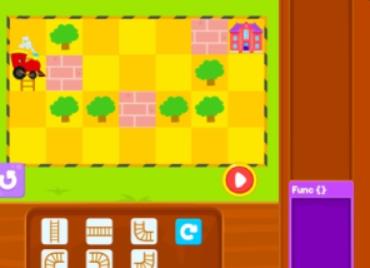
A Comprehensive Guide for Parents and Educators in Europe and North America
In today’s increasingly digital world, coding is no longer a niche technical skill reserved for software engineers. Instead, it has become a foundational literacy—much like reading, writing, and basic mathematics. For children growing up in Europe and North America, early exposure to computational thinking helps develop problem-solving skills, logical reasoning, creativity, and resilience.
However, when parents and educators hear the word coding, many still imagine complex syntax, long hours in front of a screen, or pressure to prepare children for future tech careers. This misconception often leads to hesitation, especially when it comes to younger learners.
Coding games offer a powerful alternative.
Game-based coding platforms introduce programming concepts through interactive challenges, puzzles, and creative play. When designed well, these platforms remove the fear and frustration often associated with traditional programming instruction. Children learn by experimenting, making mistakes, and gradually improving—without even realizing they are learning “how to code.”
This article provides a professional, research-informed overview of safe and free coding game websites for children, specifically tailored for families and educators in Western countries. Rather than offering a simple “top 10” list, this guide focuses on educational value, safety standards, and age-appropriate design, helping adults make informed choices.
What Are Coding Game Websites for Kids?
Coding game websites for children are online platforms that teach programming concepts through play. Unlike conventional coding courses, these platforms emphasize interaction, exploration, and creativity rather than formal instruction.
Key Characteristics of Child-Friendly Coding Games
- Visual or block-based interfaces instead of text-heavy syntax
- Clear learning goals aligned with children’s cognitive development
- Immediate feedback to reinforce understanding
- Low barrier to entry, often requiring no prior experience
Age-Based Learning Stages
To evaluate whether a coding game website is suitable, it is helpful to understand how coding education typically progresses by age group.
Ages 4–6: Pre-Readers and Early Learners
- Focus on sequencing, patterns, and cause-and-effect
- Minimal or no text
- Large icons and drag-and-drop interactions
Ages 7–10: Elementary-Level Thinkers
- Introduction to loops, conditions, and simple logic
- Puzzle-based challenges
- Short tasks with increasing complexity
Ages 11–14: Pre-Teen and Early Teen Learners
- Project-based learning
- Introduction to variables, events, and basic algorithms
- Optional transition to beginner-friendly text coding
Understanding these stages allows parents and teachers to select platforms that align with children’s developmental readiness rather than pushing advanced content too early.
The Three Most Important Criteria: Safety, Education, and Cost
When evaluating coding game websites for children, especially in the European and North American context, three criteria consistently matter most: safety, educational quality, and cost transparency.
1. Safety and Privacy: A Non-Negotiable Requirement
Children’s online safety is a top concern for families and schools. A reputable coding game platform should prioritize privacy and minimize risks.
Key safety indicators include:
- Compliance with COPPA (Children’s Online Privacy Protection Act)
- Minimal data collection
- No open chat features for young users
- Clear moderation policies
- Optional or no account creation
Platforms designed for educational use often allow children to play without sharing personal information, which significantly reduces privacy risks.
2. Educational Value: Beyond Entertainment
Not all “coding games” are equally educational. High-quality platforms are intentionally designed to build computational thinking skills.
Strong educational features include:
- Structured progression from simple to complex tasks
- Emphasis on logic, problem-solving, and debugging
- Learning through experimentation rather than memorization
- Alignment with widely accepted computer science education standards
Games that simply reward speed or repetition without encouraging reflection may entertain children but offer limited learning value.
3. Free vs. Freemium: Understanding Cost Models
Many coding platforms advertise themselves as “free” but restrict meaningful learning behind paywalls. For families and schools with limited budgets, transparency matters.
Truly valuable free platforms typically:
- Offer complete beginner-level learning paths
- Do not require payment to finish core lessons
- Provide optional paid upgrades without disrupting learning
In the sections below, we focus primarily on platforms where free access provides real educational value, not just demos.
Types of Safe and Free Coding Game Websites
Rather than ranking platforms numerically, it is more useful to categorize them by learning style. Different children thrive in different environments.
1. Puzzle-Based Coding Games: Learning Through Logic
Puzzle-based platforms teach coding concepts by asking children to solve challenges step by step. These games are particularly effective for beginners because they emphasize thinking over creativity.
Educational Benefits
- Strengthens logical reasoning
- Introduces algorithms naturally
- Reduces intimidation for first-time learners
Common Learning Concepts
- Sequencing
- Loops
- Conditional statements
Representative Platforms
Code.org (Free Content)
Code.org is one of the most widely used coding education platforms in Western schools. Its beginner courses use familiar characters and structured puzzles to introduce foundational concepts.
- No ads
- Strong privacy protections
- Teacher and classroom support
Lightbot (Browser Version)
Lightbot teaches programming logic through puzzle-solving without requiring text-based coding.
- Ideal for ages 6–10
- Focus on procedural thinking
- Simple interface and minimal distractions
2. Creative Coding Platforms: Learning by Making
Some children are naturally drawn to storytelling, art, and design. Creative coding platforms allow learners to build their own animations, games, and interactive stories.
Educational Benefits
- Encourages creativity and self-expression
- Builds confidence through ownership of projects
- Supports open-ended exploration
Common Learning Concepts
- Events and triggers
- Variables
- Basic logic and sequencing
Representative Platforms
Scratch (Free)
Developed by MIT, Scratch is one of the most influential children’s coding platforms worldwide.
- Completely free
- Large global education community
- Suitable for ages 8–14
Scratch’s block-based interface makes it accessible while still offering depth. Children can remix projects, which encourages collaborative learning without direct communication risks.
ScratchJr (Ages 5–7)
Designed for younger children, ScratchJr removes text entirely and focuses on visual storytelling.
3. Curriculum-Based Platforms: Structured Learning Paths
Some families and educators prefer a more systematic approach. Curriculum-based platforms provide lesson sequences that resemble traditional courses but remain game-oriented.
Educational Benefits
- Clear learning objectives
- Measurable progress
- Suitable for classroom use
Common Learning Concepts
- Computational thinking
- Problem decomposition
- Debugging strategies
Representative Platforms
CS First by Google (Free)
CS First provides themed coding modules using Scratch, designed for classroom and group learning.
- No cost
- Educator resources included
- Strong alignment with school curricula
Blockly Games
Blockly Games gradually transition learners from visual blocks to real code concepts.
- Fully browser-based
- No registration required
- Excellent for bridging beginner to intermediate levels
How Parents Can Support Learning at Home
Even the best coding game website cannot replace adult guidance. Parents do not need technical expertise to support their children effectively.
Practical Tips for Parents
- Encourage short, regular sessions (15–30 minutes)
- Ask children to explain their thinking
- Celebrate problem-solving rather than speed
- Avoid turning coding into a performance metric
Coding games work best when framed as exploration rather than achievement.
How Educators Can Use Coding Games in the Classroom
Coding game platforms are increasingly used in K–12 education across Europe and North America.
Classroom-Friendly Features to Look For
- No individual student accounts required
- Lesson plans or teacher guides
- Compatibility with Chromebooks and tablets
- Offline or low-bandwidth options
Many platforms discussed in this article are already used in public school systems and homeschool environments.
Common Myths About Kids and Coding
Myth 1: “My child is too young to learn coding.”
In reality, early coding focuses on logic, not syntax. Children as young as four can understand sequencing and cause-and-effect relationships.
Myth 2: “Coding is only for future programmers.”
Coding teaches transferable skills applicable to math, science, writing, and everyday problem-solving.
Myth 3: “Games are not real learning.”
Well-designed educational games are research-backed tools that promote deeper engagement than passive instruction.
Accessibility and Inclusion Considerations
High-quality coding education should be accessible to all children.
Look for platforms that offer:
- Gender-neutral design
- Diverse characters and themes
- Adjustable difficulty levels
- Support for learners with different abilities
Inclusive design helps ensure that coding is seen as a universal skill rather than a niche interest.
The Role of Free Coding Games in Long-Term Learning
It is important to recognize that coding game websites are not meant to replace formal education. Instead, they serve as entry points—sparking curiosity and building confidence.
Children who enjoy early coding games are more likely to:
- Explore advanced STEM topics
- Develop persistence in problem-solving
- Approach technology as creators rather than consumers
Free access removes economic barriers, making these benefits more widely available.
Choosing the Right Platform Matters
Safe and free coding game websites offer an invaluable opportunity to introduce children to computational thinking in a positive, engaging way. For parents and educators in Europe and North America, the key is not to find the “most advanced” platform, but the most appropriate one.
By prioritizing:
- Safety and privacy
- Genuine educational value
- Age-appropriate design
adults can help children build skills that extend far beyond coding itself.
Ultimately, coding games are not about preparing children for specific careers—they are about empowering young learners to think critically, creatively, and confidently in a digital world.

Leave a Reply