A Beginner-Friendly Guide to Learning Coding Through Play
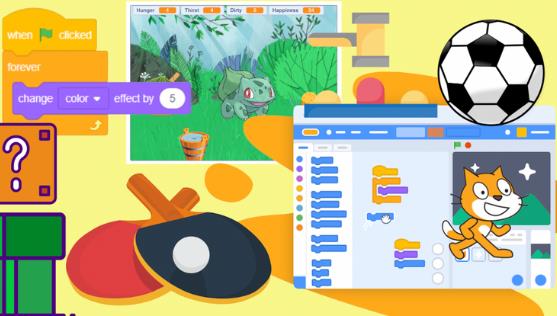
Learning to code at a young age does not mean sitting in front of complex text-based programming languages or memorizing confusing syntax. For children between the ages of 7 and 12, the best way to learn programming concepts is through creativity, exploration, and play. This is where Scratch, a block-based programming platform developed by the MIT Media Lab, truly shines.
Scratch allows children to create games, animations, and interactive stories by snapping together visual code blocks. Instead of worrying about spelling errors or complicated commands, kids can focus on logic, problem-solving, and creative thinking. Over the years, Scratch has become one of the most widely used tools for teaching introductory coding in schools, coding clubs, and homes around the world.
In this article, we will explore five simple Scratch game projects that are especially suitable for children aged 7–12. Each project is beginner-friendly, engaging, and designed to introduce essential programming concepts step by step. These projects are ideal for parents who want to support their child’s learning, teachers looking for classroom activities, or instructors running after-school coding programs.
No prior coding experience is required. The goal is not to create perfect games, but to help children build confidence, curiosity, and a strong foundation in computational thinking—while having fun along the way.
Why Scratch Is Perfect for Kids Aged 7–12
Before diving into the projects, it is worth understanding why Scratch works so well for this age group.
Visual, Block-Based Programming
Scratch uses colorful, drag-and-drop blocks that fit together like puzzle pieces. This design removes many common barriers beginners face, such as syntax errors or abstract commands. Children can immediately see how their code works by pressing the green flag and watching their project come to life.
Encourages Creative Learning
Unlike many traditional learning tools, Scratch does not limit children to a single “correct” answer. Kids can design their own characters, choose backgrounds, add sounds, and invent rules. This open-ended structure encourages imagination and self-expression while still teaching logical thinking.
Immediate Feedback and Motivation
One of the most powerful aspects of Scratch is instant feedback. When children change a block of code, they can immediately test it and see the result. This trial-and-error process helps kids learn from mistakes and builds resilience and confidence.
Age-Appropriate and Widely Used
Scratch is designed specifically for young learners. Its interface is intuitive, child-friendly, and safe. Because it is widely used in schools across North America and Europe, many teachers and parents can find ready-made resources, lesson plans, and community projects to support learning.
How to Use These Projects
Each of the following five game projects includes:
- A brief overview of the game
- The main skills children will learn
- Key Scratch concepts involved
- Why the project is suitable for beginners
These projects are intentionally simple. Once a child completes a basic version of a game, they can be encouraged to modify it, add new features, or personalize it. That creative extension is where much of the real learning happens.
Project 1: Catch the Falling Objects Game
Game Overview
In this classic beginner game, a character moves left and right at the bottom of the screen to catch objects falling from the top. Each object caught increases the score, while missing an object may reduce points or end the game.
This game is often one of the first Scratch projects children build because it is easy to understand and rewarding to play.
Skills Kids Will Learn
- Basic control of sprites
- Understanding events and timing
- Simple score tracking
- Hand-eye coordination and focus
Main Scratch Concepts
- Events: “When green flag clicked”
- Motion blocks: Moving left and right
- Variables: Creating and updating a score
- Loops: Repeating falling behavior
Why This Project Is Suitable for Beginners
The rules of the game are simple, and the visual outcome is immediate. Children can quickly see how their actions affect the game, which helps them understand cause and effect in programming. Even young beginners can complete a basic version of this game within a short time, giving them a strong sense of accomplishment.
Once the basic game works, kids can experiment by changing the falling speed, adding multiple objects, or introducing levels—making this project both simple and expandable.
Project 2: Maze Game
Game Overview
In a maze game, the player controls a character using the keyboard to navigate through a maze and reach a goal. Touching the walls sends the character back to the start.
Maze games are highly engaging and naturally encourage problem-solving and planning.
Skills Kids Will Learn
- Logical thinking
- Spatial awareness
- Planning and strategy
- Debugging when movement does not work as expected
Main Scratch Concepts
- If-then conditions
- Sensing blocks: Detecting colors or walls
- Keyboard input
- Coordinates and movement
Why This Project Is Suitable for Beginners
Maze games introduce conditional logic in a very visual way. Children can easily understand rules such as “If the character touches the wall, go back to the start.” This makes abstract programming ideas more concrete.
Additionally, maze games can be as simple or complex as desired. Beginners can start with a small maze and later design their own, encouraging creativity and ownership of the project.
Project 3: Clicker Game
Game Overview
In a clicker game, players earn points by clicking on a character or object on the screen. The goal is usually to score as many points as possible within a certain time limit.
This type of game is extremely popular with younger learners because it provides instant rewards.
Skills Kids Will Learn
- Counting and number sense
- Managing game states
- Understanding repetition
- Focus and reaction speed
Main Scratch Concepts
- Variables: Score tracking
- Timers
- When this sprite clicked events
- Loops
Why This Project Is Suitable for Beginners
Clicker games are straightforward and highly motivating. Children quickly grasp the idea that clicking leads to points, which makes it easy to introduce variables without overwhelming them.
This project is also excellent for encouraging creativity. Kids can design their own characters, add sound effects, or introduce simple upgrades. These small additions help them think more deeply about game mechanics while staying within their skill level.
Project 4: Simple Platform Game
Game Overview
In a simple platform game, the character moves across platforms and jumps to avoid falling. While advanced platform games can be complex, a simplified version is very achievable for beginners.
This project introduces the idea of gravity and movement in a fun, accessible way.
Skills Kids Will Learn
- Understanding motion and direction
- Basic physics concepts (in a simplified form)
- Patience and persistence
- Testing and improving game mechanics
Main Scratch Concepts
- Loops for continuous movement
- Gravity simulation using variables
- Collision detection
- Key controls
Why This Project Is Suitable for Beginners
Although platform games sound advanced, Scratch allows children to simulate gravity using simple logic and variables. Teachers and parents do not need to explain real-world physics; instead, they can focus on the idea that characters fall unless they are standing on something.
Completing even a basic platform game gives children a huge confidence boost and helps them see how small pieces of logic combine to create more complex behavior.
Project 5: Quiz or Educational Game
Game Overview
A quiz game asks the player questions and checks their answers. The game can be used for math, spelling, science, or any subject the child enjoys.
This project combines learning and play, making it especially appealing to parents and teachers.
Skills Kids Will Learn
- Logical reasoning
- Reading comprehension
- Decision-making
- Designing interactive experiences
Main Scratch Concepts
- Ask and answer blocks
- If-else logic
- Variables for scores or lives
- Sequential events
Why This Project Is Suitable for Beginners
Quiz games are easy to understand and very flexible. Children can start with just one question and gradually add more. Because the content can be customized, kids feel more connected to the project and motivated to improve it.
This project also helps children see how programming can be used for purposes beyond games, such as education and communication.
Encouraging Creativity and Extension
Completing a project is only the beginning. One of the most valuable aspects of Scratch is the ability to remix and extend existing ideas. After finishing any of these games, children can be encouraged to:
- Add new characters or levels
- Change the rules of the game
- Improve visuals and sound
- Share their projects with others
This process helps kids move from following instructions to thinking independently—a key goal of coding education.
Tips for Parents and Educators
- Focus on progress, not perfection
- Let children make mistakes and explore
- Ask open-ended questions like “What happens if we change this?”
- Celebrate creativity as much as correctness
Scratch is not about turning children into professional programmers overnight. It is about helping them develop confidence, curiosity, and problem-solving skills that will benefit them in any future learning path.
Scratch offers an accessible, engaging way for children aged 7–12 to begin their coding journey. The five simple game projects outlined in this article provide a strong starting point for learning essential programming concepts through play.
By creating games, children learn to think logically, solve problems, and express their creativity—all while having fun. Whether used at home or in the classroom, these beginner-friendly projects help build a positive relationship with technology and learning.
With encouragement and exploration, Scratch can become more than just a tool—it can be a gateway to lifelong curiosity and digital creativity.

Leave a Reply