A well-structured coding learning path for children is one of the most common concerns among parents in the United States, Europe, and other developed regions. Many parents understand that coding is an essential skill for the future, yet they often feel overwhelmed by the sheer number of tools, languages, and learning approaches available. Questions like “Where should my child start?”, “When should they move beyond block coding?”, and “How do I know if they are progressing correctly?” come up frequently.
The truth is that an effective coding journey for children is not about rushing into complex programming languages. Instead, it is about building a gradual, layered foundation—starting with logic and creativity, and eventually progressing into real-world problem solving, software development, and even specialization.
This article presents a complete, realistic, and professional learning path for children—from absolute beginners to advanced learners—based on practical teaching experience, widely adopted Western education practices, and real student cases.
Understanding the philosophy behind a coding learning path
Before diving into stages, it’s important to understand that coding for children is not just about learning syntax. In Western education systems, especially in the U.S. and Europe, coding is often treated as a way to develop:
Computational thinking
Problem-solving skills
Creativity and design thinking
Persistence and resilience
A strong learning path mirrors how children naturally learn: through play, exploration, experimentation, and gradually increasing structure.
A common mistake parents make is focusing too early on “real programming languages” like Python or Java. However, without foundational thinking skills, children often struggle and lose interest. A complete path should balance fun and rigor at every stage.
Early exposure stage: ages 5–7
At this stage, the goal is not coding in the traditional sense. Instead, children should develop logical thinking, sequencing, and cause-effect understanding.
Children in this age group benefit most from visual, interactive environments where they can manipulate objects and see immediate results. Tools like ScratchJr, simple coding games, and unplugged activities (coding without screens) are widely used in U.S. elementary schools.
Key learning objectives at this stage include understanding sequences, patterns, loops (in a very basic form), and conditional thinking. For example, a child might learn that “if a character touches water, it jumps back,” which introduces conditional logic without formal syntax.
A real classroom example involves a 6-year-old student who struggled with attention in traditional subjects but became deeply engaged when using visual coding tools. By creating simple animations, the student began to understand storytelling structure and logical flow simultaneously.
Parents should focus on encouraging exploration rather than correctness. There is no need to “fix mistakes” aggressively; instead, children should be allowed to experiment and discover outcomes on their own.
Foundation stage with block-based programming: ages 7–10
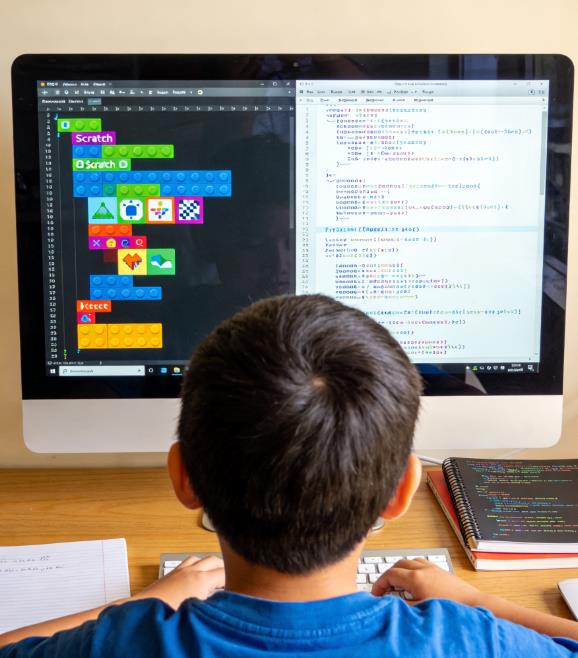
This is where structured coding begins. Block-based programming platforms such as Scratch become central tools.
Children can now build simple games, animations, and interactive stories using drag-and-drop coding blocks. These platforms eliminate syntax barriers, allowing students to focus entirely on logic and creativity.
At this stage, children typically learn:
Variables (basic concept)
Loops and conditionals
Events and triggers
Simple debugging
Basic game mechanics
For example, a student might create a simple platformer game where a character jumps to avoid obstacles. While this may seem simple, it actually involves multiple core programming concepts working together.
A case from a coding academy in California showed that students who spent at least one year mastering Scratch were significantly more confident when transitioning to text-based languages compared to those who skipped this stage.
One important aspect here is project-based learning. Instead of following step-by-step tutorials only, children should be encouraged to create their own projects. This builds ownership and deeper understanding.
Parents often ask how long a child should stay in this stage. The answer varies, but typically 12 to 24 months of consistent practice is ideal before moving forward.
Transition stage: introduction to text-based coding (ages 10–12)
This is one of the most critical stages in the entire learning path. Many children drop out of coding at this point because the transition from visual blocks to text-based syntax can be challenging.
The key is to introduce text-based programming gradually, often using hybrid tools or beginner-friendly languages like Python.
Python is widely recommended in Western education systems because of its readability and simplicity. Children can quickly write meaningful programs without dealing with complex syntax.
At this stage, children should learn:
Basic syntax (variables, loops, conditionals)
Simple data structures (lists, dictionaries)
Input and output
Debugging skills
Basic algorithms
A practical example would be building a simple quiz program where users input answers and receive feedback. This reinforces logic while introducing real coding structure.
One student from a UK-based coding program initially resisted text-based coding after enjoying Scratch. However, when introduced to Python through game-based projects (such as text adventures), the student regained interest and eventually built a small game independently.
To support this transition, parents and teachers should:
Avoid overwhelming children with theory
Use project-based learning
Encourage small wins
Normalize errors as part of learning
This stage is less about speed and more about confidence building.
Intermediate stage: building real projects (ages 12–14)
At this level, coding becomes more structured and closer to real-world applications. Students should now be comfortable with at least one programming language, typically Python or JavaScript.
The focus shifts toward applying coding skills to meaningful projects.
Key learning areas include:
Functions and modular programming
File handling
Basic object-oriented programming
Working with libraries and frameworks
Introduction to web development (HTML, CSS, JavaScript)
Students might build projects such as:
A personal website
A simple mobile app prototype
A game with multiple levels
A data visualization project
In the U.S., many middle school coding programs emphasize project portfolios. These portfolios are increasingly important for future academic opportunities, including STEM-focused high schools and summer programs.
A real case involves a 13-year-old student who developed a simple budgeting app using Python. The project was later included in their application to a competitive STEM camp, helping them stand out among applicants.
At this stage, collaboration also becomes important. Children can begin working in small teams, learning version control basics and communication skills.
Parents should support children by helping them find real-world applications for their interests. For example, a child interested in sports could build a stats tracker, while a child interested in art could explore creative coding.
Advanced stage: specialization and deeper understanding (ages 14–18)
In high school, coding learning becomes more focused and specialized. Students may choose specific areas based on their interests and career goals.
Common specialization paths include:
Software development
Game development
Web development
Data science
Artificial intelligence
Cybersecurity
Students should now be working on more complex projects, such as:
Full-stack web applications
Advanced games using engines like Unity
Machine learning models
AP Computer Science coursework
Open-source contributions
In the U.S., programs like AP Computer Science A and extracurricular activities such as hackathons play a significant role in this stage.
A notable example is a high school student from New York who developed a COVID-19 data tracking dashboard during the pandemic. The project gained recognition and was later used as part of their college application portfolio.
At this level, students also begin to understand:
Algorithm efficiency
Data structures in depth
System design basics
Collaboration tools like Git
Mentorship becomes extremely valuable here. Whether through teachers, online communities, or internships, guidance can help students navigate more complex challenges.
Parents should shift from direct involvement to support and encouragement, allowing teenagers to take ownership of their learning journey.
The role of competitions, certifications, and portfolios
Throughout the learning path, structured milestones can help maintain motivation and provide measurable progress.
Competitions such as coding challenges and hackathons are widely popular in Western countries. They help students apply their skills under pressure and gain recognition.
Certifications, while not always necessary, can provide structured goals. Platforms like online coding academies often offer certificates that can be useful for portfolios.
However, the most important element is a strong project portfolio. Colleges and employers increasingly value real projects over test scores alone.
A well-rounded portfolio might include:
Games
Websites
Apps
Collaborative projects
Problem-solving challenges
Balancing coding with other aspects of childhood
One concern many parents have is whether coding should dominate a child’s schedule. The answer is no.
In Western education philosophy, balance is key. Coding should complement, not replace, other activities such as sports, arts, and social interactions.
In fact, diverse experiences often enhance coding ability. Creativity from art, discipline from sports, and communication skills from group activities all contribute to becoming a better programmer.
A student who participates in robotics competitions, for example, often develops both technical and teamwork skills simultaneously.
Common mistakes parents should avoid
One of the biggest mistakes is pushing children too quickly into advanced topics. Skipping foundational stages often leads to frustration and burnout.
Another mistake is focusing only on passive learning, such as watching tutorials without building projects. Coding is a hands-on skill that requires active practice.
Parents should also avoid comparing their child to others. Coding progress varies widely depending on interest, exposure, and learning style.
Finally, overemphasis on perfection can discourage experimentation. Mistakes are an essential part of the learning process.
How parents can support effectively
Parents do not need to be programmers to support their children. What matters most is creating a positive learning environment.
Encourage curiosity and exploration
Celebrate effort rather than results
Provide access to quality resources
Support project-based learning
Be patient with progress
In many Western households, parents play a supportive rather than directive role, allowing children to take initiative while offering guidance when needed.
Conclusion: a long-term journey, not a race
A complete coding learning path for children is not about reaching advanced levels as quickly as possible. It is about building a strong, adaptable foundation that evolves over time.
From playful exploration in early childhood to specialized development in adolescence, each stage plays a critical role in shaping a child’s relationship with technology.
The most successful young coders are not necessarily those who start the earliest, but those who remain curious, engaged, and resilient throughout the journey.
By following a structured yet flexible path, parents can help their children not only learn how to code, but also develop the skills needed to thrive in a rapidly changing digital world.

Leave a Reply