Understanding how children should begin learning programming is one of the most common concerns among parents today, especially across North America and Europe where digital literacy is increasingly viewed as a core life skill. Among all beginner tools, Scratch often becomes the center of debate. Some parents look at its colorful interface and drag-and-drop blocks and immediately conclude that it is “too easy” to be meaningful. Others praise it as one of the most powerful educational tools ever designed for young learners.
So which perspective is correct?
The answer is more nuanced than a simple yes or no. Scratch can be both deceptively simple and deeply educational, depending on how it is used, who is using it, and what learning goals are in place. As someone teaching coding to children in Western educational environments, I’ve seen firsthand how Scratch can either limit or unlock a child’s potential.
This article aims to provide a comprehensive, research-informed, and experience-based answer to the question: Is Scratch too easy, or is it actually educational?
What Scratch Really Is (and Isn’t)
Scratch is a block-based programming language designed primarily for children aged roughly 6 to 14. Developed by MIT’s Lifelong Kindergarten Group, it removes syntax complexity by allowing kids to snap together visual coding blocks.
At first glance, this simplicity is exactly what triggers skepticism.
Parents often compare Scratch to text-based languages like Python or JavaScript and feel that it lacks “real coding.” But this comparison misunderstands Scratch’s purpose. Scratch is not meant to replicate professional coding environments—it is designed to build foundational computational thinking skills.
Scratch teaches:
- Sequencing (ordering instructions logically)
- Loops (repeating actions)
- Conditionals (if/then logic)
- Variables (storing and updating data)
- Event-driven programming
- Debugging and iteration
These are not beginner “toys”—they are the core building blocks of all programming languages.
Why Scratch Feels “Too Easy”
The perception that Scratch is too easy usually comes from three main factors.
The visual interface reduces perceived difficulty
Adults often equate difficulty with complexity. Because Scratch uses colorful blocks instead of text, it appears simplistic. However, removing syntax errors actually allows children to focus on logic, which is the true heart of programming.
In real coding environments, beginners often spend more time fixing syntax errors than understanding concepts. Scratch eliminates that barrier.
Quick results give a false sense of simplicity
Children can create a working animation or game in Scratch within minutes. For parents, this speed can feel like “low rigor.” But quick wins are intentional—they build motivation and confidence.
In fact, early success is one of the strongest predictors of long-term engagement in STEM learning.
Surface-level use vs deep learning
This is the most important factor.
If a child only uses Scratch to drag random blocks and make characters move, then yes—it is too easy. But when guided properly, Scratch can support highly complex projects involving game mechanics, physics simulations, storytelling systems, and even basic AI logic.
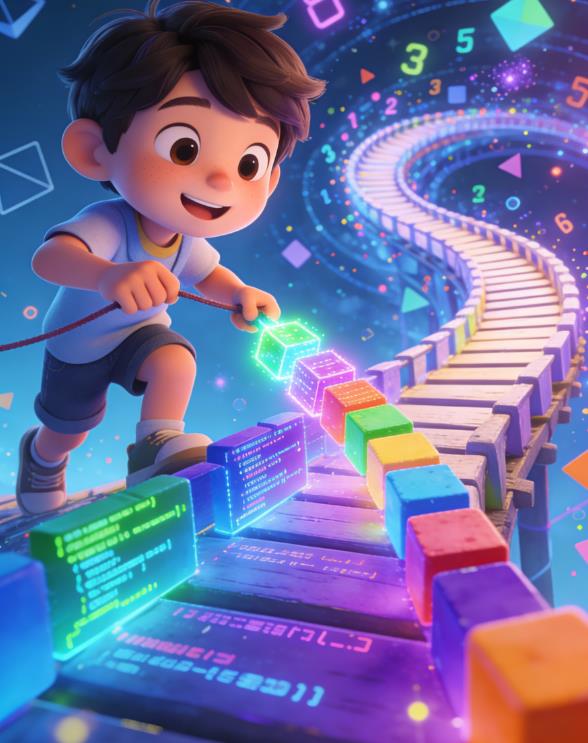
Scratch is like LEGO. A toddler can stack a few blocks, but an engineer can build a working robot model.
The Educational Power of Scratch
Scratch’s real value lies in how it develops computational thinking rather than coding syntax.
Building logical reasoning
Every Scratch project requires a child to think step by step:
What happens first?
What happens next?
What conditions change the outcome?
This structured thinking translates directly into math problem-solving and scientific reasoning.
For example, one of my students, an 8-year-old in California, initially struggled with math word problems. After working on Scratch projects involving scoring systems and conditional logic, her ability to break down multi-step problems improved significantly. Her parents noticed better performance not just in coding, but in school math assessments.
Encouraging creativity and expression
Unlike traditional programming exercises, Scratch emphasizes creative output.
Children are not just writing code—they are creating:
- Games
- Interactive stories
- Animations
- Music projects
This creative aspect is particularly effective for children who might not initially be drawn to technical subjects.
In a classroom in the UK, I worked with a student who had no interest in math or science but loved storytelling. Through Scratch, she created an interactive narrative game with branching dialogue. Over time, she became comfortable using variables and logic without even realizing she was learning “programming.”
Promoting persistence and problem-solving
Scratch teaches debugging in a low-pressure environment.
When something doesn’t work, children experiment:
- Adjust a block
- Change a condition
- Test again
This iterative process builds resilience.
In traditional coding environments, repeated errors can frustrate beginners quickly. Scratch reduces this frustration while still preserving the essential learning process.
Real Classroom Case Studies
Case Study: Beginner Confidence vs Early Dropout
In one after-school program in the United States, we divided beginners into two groups.
Group A started with Python.
Group B started with Scratch.
After four weeks:
- Nearly 40% of Group A reported frustration and lack of confidence
- Over 85% of Group B reported enjoyment and willingness to continue
Interestingly, when both groups transitioned to Python later, the Scratch group performed better in understanding loops and conditionals.
Case Study: Transition to Advanced Coding
A 10-year-old student in Germany spent about one year working with Scratch, building increasingly complex games including:
- Multiplayer-style scoring systems
- Enemy AI patterns
- Level progression mechanics
When he transitioned to Python, he progressed significantly faster than peers who started directly with text-based coding.
Why? Because he already understood the logic. He only needed to learn syntax.
When Scratch Becomes “Too Easy”
Scratch is not without limitations. There is a point where it can become too easy—or rather, insufficient.
Lack of text-based coding skills
Eventually, children need to learn syntax, typing, and debugging real code. Scratch cannot replace this step.
Limited exposure to real-world tools
Scratch does not introduce concepts like:
- File handling
- APIs
- Data structures in depth
- Professional development environments
For older or more advanced learners, this can become a bottleneck.
Repetitive or unchallenging projects
If a child repeatedly builds simple animations without increasing complexity, learning stagnates.
This is often not a limitation of Scratch itself, but of curriculum design.
How to Make Scratch Truly Educational
The difference between “too easy” and “highly educational” lies in how Scratch is used.
Focus on project complexity, not just completion
Instead of asking:
“Did you finish the project?”
Ask:
“How complex is the logic behind it?”
Encourage children to:
- Add scoring systems
- Introduce multiple levels
- Use variables and conditions
- Create user interactions
Encourage independent problem-solving
Avoid giving step-by-step instructions for everything.
Instead:
- Let children experiment
- Allow mistakes
- Ask guiding questions
This builds deeper understanding.
Use Scratch as a stepping stone
Scratch should not be the final destination. It works best as part of a learning progression:
Scratch → block-text hybrid (like Blockly/Python bridges) → Python/JavaScript
This progression ensures both conceptual understanding and practical coding skills.
Introduce challenges and constraints
To prevent Scratch from becoming too easy, introduce structured challenges:
- Build a game with three levels
- Add a timer system
- Create a scoring leaderboard
- Design an AI opponent
Constraints force deeper thinking.
Comparing Scratch to Other Learning Approaches
Scratch vs Text-Based Languages
Scratch excels at teaching logic without syntax barriers. Text-based languages introduce real-world skills but can overwhelm beginners.
The most effective approach is sequential, not either-or.
Scratch vs Coding Apps and Games
Many coding apps gamify learning but often limit creativity. Scratch provides an open-ended environment where children can build anything.
This freedom is a major advantage.
Scratch vs Robotics Kits
Robotics adds physical interaction, which can be highly engaging. However, it often introduces hardware complexity.
Scratch provides a simpler entry point before moving into robotics.
What Parents Often Misunderstand
“Easy” does not mean “ineffective”
Educational effectiveness is not measured by difficulty alone. It is measured by learning outcomes.
Scratch simplifies the right things (syntax) while preserving the important challenges (logic and problem-solving).
Early exposure to “real coding” is not always better
Starting too early with complex languages can reduce confidence and interest.
A strong foundation leads to better long-term results.
Creativity is not separate from technical learning
Scratch blends creativity with programming. This combination is especially effective for younger learners.
When Should a Child Move Beyond Scratch?
Most children are ready to transition when they:
- Understand loops and conditionals intuitively
- Can build multi-step projects independently
- Show curiosity about “real coding”
- Become limited by Scratch’s capabilities
This usually happens around ages 10–13, but it varies widely.
The transition should feel like a natural progression, not a forced upgrade.
So, is Scratch too easy or actually educational?
The honest answer is:
It depends on how it is used.
Scratch is too easy if:
- It is used only for simple, repetitive tasks
- There is no progression in complexity
- Children are not challenged to think deeper
Scratch is highly educational if:
- Projects increase in complexity over time
- Children are encouraged to solve problems independently
- It is used as a foundation for future learning
In the context of modern education in the US and Europe, Scratch remains one of the most effective entry points into programming—not because it is easy, but because it is designed intelligently.
It lowers the right barriers while preserving the essence of coding.
For parents, the goal should not be to skip Scratch in favor of something “harder,” but to ensure that Scratch is used in a way that challenges and develops the child.
Difficulty alone does not create learning. Meaningful engagement, structured progression, and thoughtful guidance do.
And when those elements are present, Scratch is far from “too easy”—it becomes a powerful educational tool that can shape how children think, create, and solve problems for years to come.

Leave a Reply